
Mendocino County VINELink Coverage
The Mendocino County Sheriff's Office sends people to California VINE through its Corrections page. It also posts the statewide telephone number there. That referral is the county's official blessing for VINE as a custody status tool. Mendocino has no separate SAVIN brand. There is no county-only search page either, and no guaranteed update interval exists. What VINE can report depends entirely on the data the system receives.
Once a matching custody record appears, VINE earns its keep. You can register for alerts on changes such as release or transfer. The county web roster does a different job. Inside its rolling 30-day window it shows booking history. It lists the originating agency, charge entries, bonds, and release fields when populated. Neither source publishes the internal Mendocino County jail booking photograph.
Open Mendocino VINELink Correctly
Go straight to the California route. A generic search result may not cover Mendocino County. The service sometimes asks you to pick a statewide or facility option before the person search begins. Follow its prompts. Keep the person's full name and any known custody identifier close at hand. The official California VINE entry page is the statewide starting point that MCSO cites.
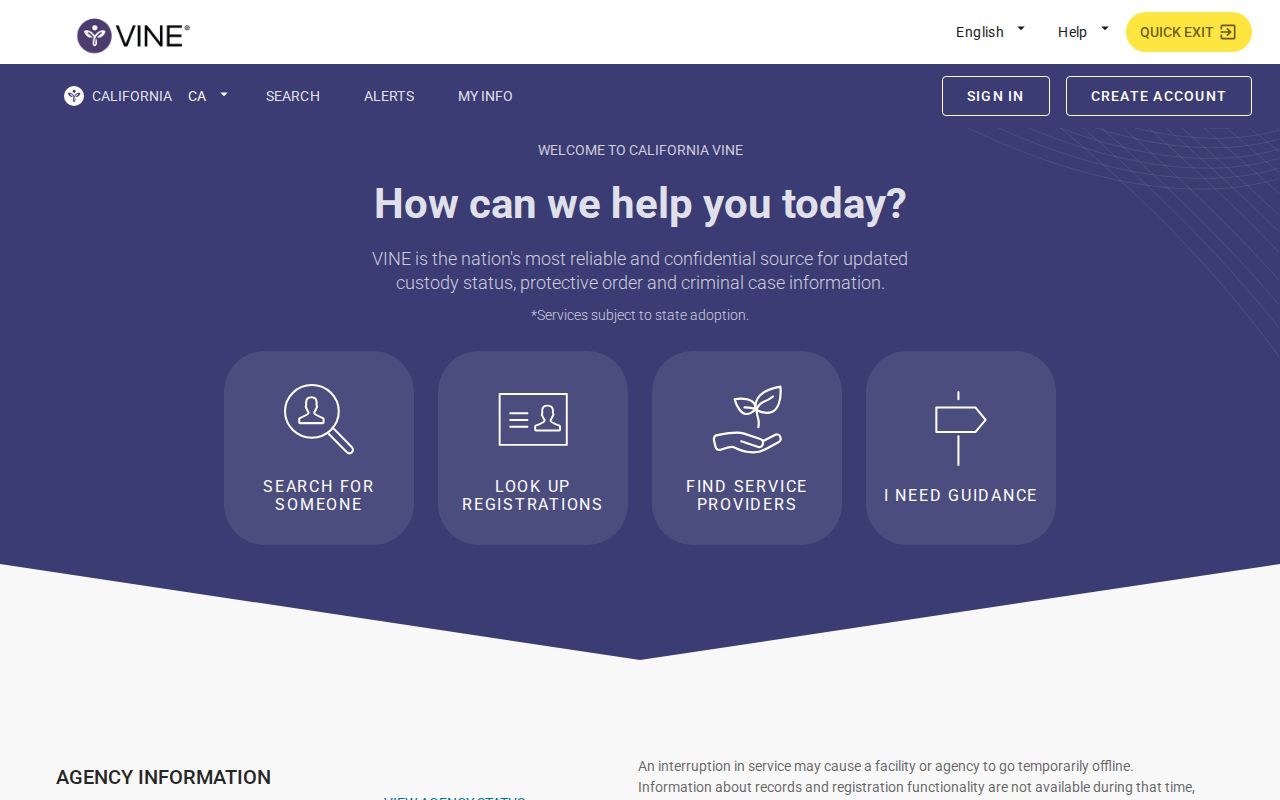
This entry route identifies the service being used before any name or identifier is entered.
Check a Mendocino Arrest on VINELink
A tight search beats a broad one. Common names can return several Mendocino County matches in no time. Stick to details you know from official sources. A similar name alone never proves you found the right person.
- Choose California in VINELink and enter the custody search.
- Search by the person’s name or available booking or custody identifier.
- Select the applicable facility or statewide option shown by the interface.
- Compare multiple matches with the available identifier and custody details.
- Open the result to review the status and any notification option.
- If no match appears, check the county roster and confirm with the jail rather than assuming no arrest occurred.
The California VINELink search screen shows the state search route.

This screen hunts one custody record at a time. It is not a browse tool. You cannot scroll a list of Mendocino County bookings there. For that, the county roster is the place.
Mendocino VINELink Result Fields
Expect the fields to shift with the record and the interface. What you see is custody data passed through VINE. It is not a certified jail file. Treat it as one window on a Mendocino County arrest, not a complete case history.
| Result item | How to use it |
|---|---|
| Name or person record | Compare it carefully when several people have similar names |
| Custody identifier | Use it to distinguish records when the service provides one |
| Custody status | Shows the status carried by the available VINE record |
| Facility or agency | Identifies the custody source associated with the result |
| Release or transfer event | Describes a reported change, subject to source timing |
| Notification option | Starts registration when alerts are available for the record |
| Booking photograph | Not the purpose of VINE and not supplied by the county roster |
| Court disposition | Not established by VINELink; verify through the court |
Read the notices with care. A release alert does not erase the booking record. A transfer does not close a case. An empty result proves even less. The person could still be in intake, the data may not have reached VINE yet, the record may sit outside the service's scope, or your search details may simply not match.
Register for Mendocino Custody Alerts
Open the matching record first. Then look for the registration or notification action. Phone, email, and text options may appear, depending on the interface and the record. Pick a channel you actually check, and keep the registration details private.
- Select the notification option attached to the correct person.
- Choose an available phone, text, or email delivery method.
- Enter the requested contact information accurately.
- Create the four-digit PIN when the phone process requests one.
- Complete the service’s confirmation steps and retain the registration details.
- Use the PIN to confirm a telephone notification when prompted.
The PIN belongs to your notification registration. It is not a booking number, subject number, court case number, or release code. Keep those separate. For telephone registration, California VINE lists 1-877-411-5588. MCSO publishes no Mendocino-specific VINE line or local notification schedule. The California VINELink offender route is the path for finding a record. It also moves you toward notification.

Menus change without warning. So follow the prompts on the screen. Confirm the right person and the right custody record first. After that, the current steps will show themselves.
Mendocino Roster Versus VINELink
The MCSO Booking Log comes first for a fresh county booking. It is the official online stop. You can search it by name, subject number, booking number, custody status, date range, or custody location. Click a result and you may see booking history, the originating agency, bonds, charges, and disposition fields when populated. The county-wide arrest record overview covers those fields in depth. Two limits apply. The online window reaches back only 30 days. Its banner states that booking photographs are not posted.
VINE answers a different question. It watches one custody record for a release or transfer. It does not replace the detailed booking file. Someone can drop off the visible roster yet still be tracked by a VINE alert or another custody system. Keep the jobs separate. The roster explains the Mendocino County booking, while VINE supplies status and alerts.
Note: MCSO points to California VINE but gives no county feed interval, so never promise real-time or instant notifications.
Fresh Mendocino Arrests Can Lag
A brand-new arrest can run ahead of every record. The county roster entry takes time. So does the VINE record. MCSO says booking may take several hours depending on workload, and data may then need to pass into another service before anything appears. No published source gives a minute-by-minute cadence for Mendocino information reaching VINE.
For a same-day event, try the county's Arrests Last 24 Hours view first. If the person is still missing, call an official line. MCSO lists Corrections at (707) 463-4083, the general office at (707) 463-4411, and 24-hour non-emergency dispatch at (707) 463-4086 for Ukiah, (707) 459-7833 for Willits, and (707) 961-2421 for Fort Bragg. A true emergency belongs with emergency services, not repeated web searches.
A negative search has other explanations too. The person may already be released. The name may not match, or the arrest may have happened in another county, involved juvenile or confidential status, or fallen outside California VINE's scope. Confirm the jail name and the arresting agency before picking the next locator.
Mendocino VINELink Custody Limits
California VINE answers one question for Mendocino County: is this person in custody right now? It stops there. The service shows no booking photo from the county jail and no certified booking record. It also says nothing about how a case ends. Charging decisions, hearings, pleas, and sentences belong to Mendocino Superior Court. For the county's own arrest record, go through MCSO Records. Or use the Public Records Act instead. Think of VINE as a custody check, not an arrest-history database.
Federal custody works on separate rails. The Bureau of Prisons Inmate Locator reaches federal inmates held from 1982 forward. It skips fresh federal arrests. And it posts no mugshot gallery. ICE runs its own Online Detainee Locator. You can search it with a nine-digit A-number plus country of birth. Exact name details, country of birth, and birth date also work. ICE excludes anyone under 18. It tracks only its own custody plus certain recent CBP holds. So never stretch California VINE to cover BOP, ICE, or the full reach of the U.S. Marshals.
Mendocino County's other channels fill different roles. Everbridge, Nixle MendoAlerts, social media, press releases, and Media Logs exist for public-safety notices and news. They are not for booking feeds or VINELink-style alerts. Pick the channel that fits the custody type and your purpose. When something material shifts, confirm it with the agency holding the person or the record.